
A wall-mounted tablet can make a space easier to use. It puts lighting controls within reach, shows meeting room availability or gives visitors a convenient information screen. But a visible charger and a cable trailing down the wall can make the finished installation feel incomplete.

A cleaner finish for a smart home control screen. Application concept; device and mount are illustrative.
Start with the power connection
The challenge is often the distance between the screen and its power source. A nearby wall socket may still leave an external adapter in view, while a more distant socket can mean a longer exposed cable. Choosing a neat tablet mount only solves part of the problem.
A concealed power supply offers another approach: place the adapter inside a compatible junction box near the device, then plan the USB-C cable route together with the mount. The cable is still needed, but more of the power connection can be kept out of sight.
Meet the AC-USB-30W
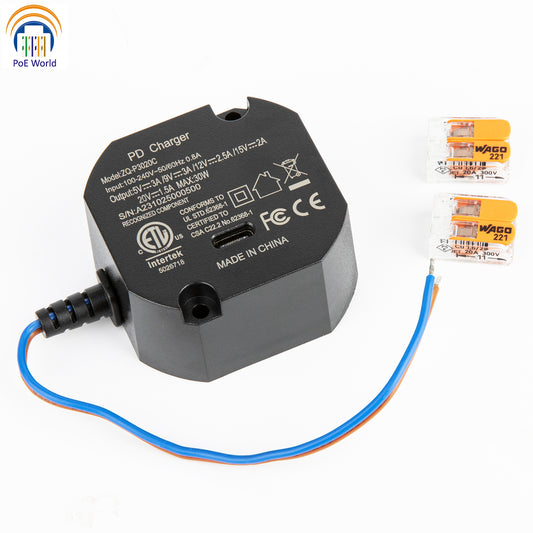
The AC-USB-30W is an AC-to-USB-C embedded wall-mount power adapter designed for concealed junction boxes and space-limited installations. Its 50.42 × 49.42 × 14mm body gives installers a compact module to work with when planning power behind or near a fixed display.
It accepts 100–240VAC, 50/60Hz input and delivers up to 30W of USB-C Power Delivery output for compatible devices. Supported PD profiles are 5V/3A, 9V/3A, 12V/2.5A, 15V/2A and 20V/1.5A. Actual power depends on the device, charging protocol and cable; 30W is the maximum output, not a guaranteed charging rate for every tablet.
Built-in over-current, over-voltage and short-circuit protection are included. For a suitable installation, this combination of compact size and USB-C power can help reduce visible charging hardware around the screen.
Where a cleaner installation matters
Smart home control screens
In an entrance hall or living area, a wall-mounted tablet can provide access to lighting, climate and other home controls. Concealed power helps the screen sit more naturally within the interior, with fewer visible cables around the mount.
Meeting room booking displays
At an office meeting room entrance, a fixed display keeps room information easy to see. Routing its power connection out of sight helps maintain a tidy appearance in a shared, frequently used space.

Commercial information terminals
Reception desks, showroom walls and visitor information points can also benefit from a discreet power connection. For a compatible USB-C terminal within the adapter’s output capability, an embedded supply can help keep attention on the displayed content and reduce visible power accessories.
Check the fit before choosing your power supply
A tidy installation begins with matching the power supply to the device and the available space. Before selecting the AC-USB-30W, confirm these four points.
Device compatibility. Check the tablet or terminal’s required input voltage and supported charging protocol. A USB-C port alone does not confirm compatibility with every PD output profile.
Power requirements. Confirm that the device can operate with a supported output profile and that its power requirement is within the adapter’s capability. For devices left connected for extended periods, follow the device manufacturer’s charging guidance.
Installation clearance. Allow room for the adapter, input terminals, wires, USB-C connection and protective cover. A 14mm-high body does not mean the entire installation needs only 14mm of clearance. Check the junction box and mount together, and avoid pinching or sharply bending cables.
Professional mains wiring. Have a qualified electrician perform the mains connection, with power disconnected before installation. Follow the product’s L/N terminal markings and installation instructions. Complete the wiring, enclosure and cable routing before restoring power and checking device operation.
Make power part of the installation plan
A well-positioned screen, a suitable mount and a carefully planned power connection work together. By considering all three at the start, you can create a wall-mounted setup that serves its purpose while fitting more neatly into the surrounding space.
For compatible devices, the AC-USB-30W offers a compact way to bring USB-C power into a concealed installation. Explore the AC-USB-30W to find out whether its power profiles and dimensions suit your next wall-mounted tablet project.